What Is a Restaurant Chart of Accounts?
A restaurant chart of accounts is the account list that organizes sales, costs, liabilities, assets, and equity. A well-built COA helps owners read profit and loss reports, track food and labor costs, reconcile payments, and spot margin leaks before they grow.
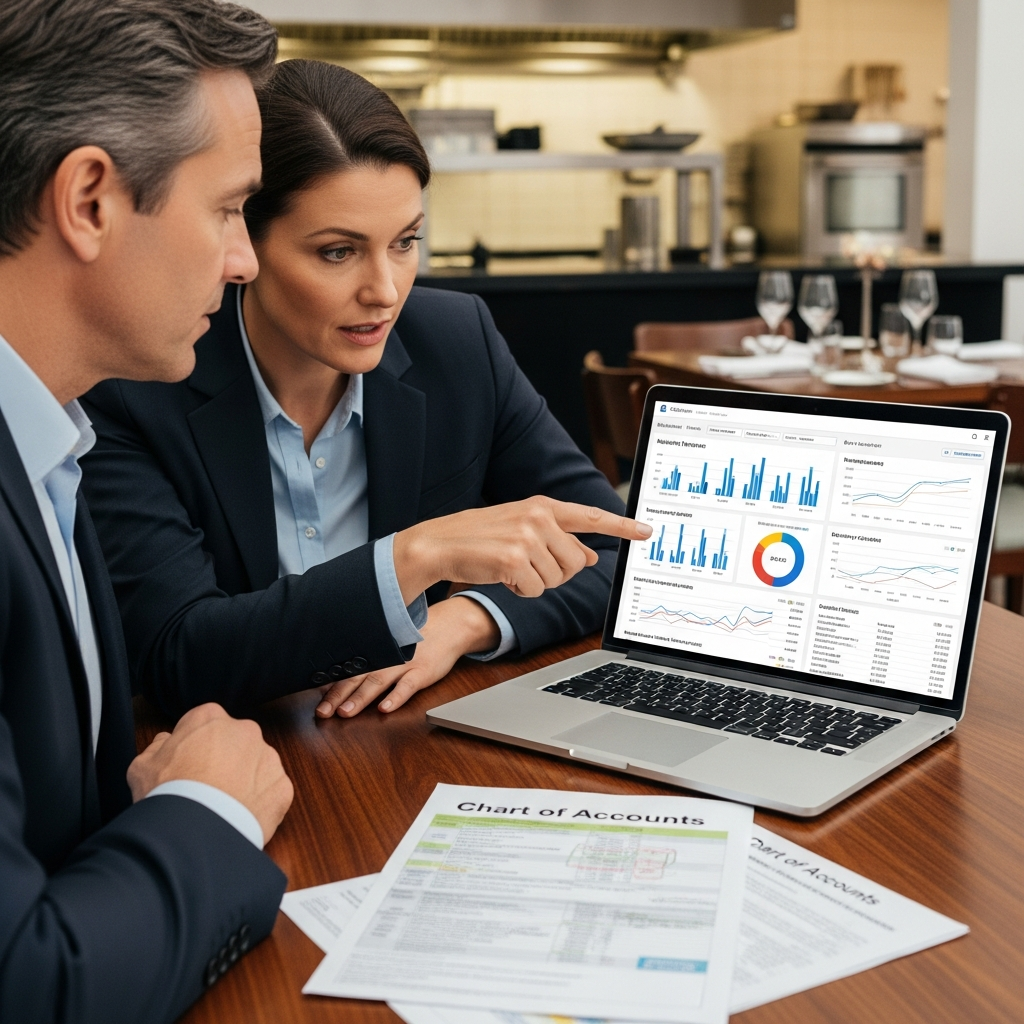
A restaurant chart of accounts is the account list that organizes sales, costs, liabilities, assets, and equity. A well-built COA helps owners read profit and loss reports, track food and labor costs, reconcile payments, and spot margin leaks before they grow.
A restaurant chart of accounts is more than a bookkeeping list. It is the financial operating system behind every reliable profit and loss statement, food cost report, payroll analysis, and cash flow forecast. When it is designed well, owners can see whether rising costs come from food purchases, beverage waste, labor scheduling, delivery fees, or location-level performance. When it is poorly structured, margin leaks stay hidden.
This article explains how to organize and optimize a restaurant COA using modern best practices, including cloud accounting, POS and inventory integrations, classes, locations, dashboards, compliance controls, and practical implementation steps.
Why does a Restaurant Chart of Accounts Drive Profitability?
A restaurant COA drives profitability because it turns daily activity into clean financial data. It shows where money is earned, where costs rise, and which locations, menu groups, labor categories, or sales channels need attention.
Restaurants run on thin margins, so small coding mistakes can hide major issues. If food purchases, waste, discounts, delivery fees, and labor costs are grouped too broadly, owners cannot see what changed. A clean COA gives managers the detail they need without making the account list too hard to use.
The goal is simple: each account should help answer an operating question. Can we trust our food cost? Are beverage margins slipping? Are payroll costs rising because of overtime, scheduling, or tip handling? Are gift cards and sales tax treated correctly? A strong COA makes those answers easier to find.
How do you Build a Practical Restaurant Chart of Accounts?
Build a restaurant COA with a simple numbering system, clear account names, and enough room to grow. Use accounts for what the transaction is, then use locations, classes, or tags for where it happened.
A practical restaurant COA starts with a predictable numbering scheme that leaves space to grow: 1000–1999 assets, 2000–2999 liabilities, 3000–3999 equity, 4000–4999 revenue, and 5000+ for COGS and expenses. Use consistent four-digit codes and names so reports sort correctly and duplicate accounts do not appear as staff change.
At minimum, build sections for cash accounts, such as operating and savings accounts, plus petty cash, inventory, fixed assets, accounts payable, payroll payable, and sales tax payable. Sales tax collected is a liability, not revenue. Gift card liability should also be separate because gift cards are deferred revenue until redeemed. Add accounts for loans, equity, retained earnings, and revenue lines such as food, alcohol, catering, and delivery.
For card and third-party payouts, add a merchant clearing or undeposited funds workflow so batched deposits reconcile cleanly. This keeps sales, fees, chargebacks, and deposit timing differences from being mixed together.
Use this granularity rule: split accounts only where you will act. A single-location shop may keep one Food COGS account. A mid-size concept may use subaccounts for meat, seafood, produce, dairy, dry goods, and paper. A multi-location group often standardizes the same codes everywhere and uses locations or classes for reporting instead of creating duplicate accounts. Document COA edits with effective dates and approval so month-to-month reports stay comparable.
How should POS, Inventory, Payroll, and Bank Activity Map to the COA?
Map POS, inventory, payroll, and bank activity to the same COA codes before reports are used. Each system should post sales, fees, labor, inventory, deposits, and liabilities into the right accounts.
Once the COA is built, every operating system should speak in those account codes so the P&L reflects what happened on the floor. Start with POS category mapping. Configure menu and tender categories so daily sales summaries post into revenue accounts like food, beer, wine, liquor, non-alcoholic beverages, retail, catering, and delivery. Discounts and voids should post to contra-revenue, and sales tax collected should post to a liability, not revenue.
Tips and service charges should be split intentionally. Tips usually flow through payroll reporting, while service charges often behave like wages and require consistent treatment for taxes and payouts.
Use a clearing account for anything that settles later, including credit cards, third-party delivery payouts, gift cards, and payroll withdrawals. Batch totals hit the clearing account first. Then you reconcile to the bank deposit net of processing fees, chargebacks, and timing differences so neither sales nor cash is overstated.
Inventory mapping should post vendor invoices to inventory assets, then relieve them to COGS through counts and usage. Track waste, spoilage, comps, and promos so theoretical COGS, which is recipe-based, can be compared to actual COGS, which is count-based. This helps diagnose portioning problems, theft, receiving errors, or waste.
Payroll exports should map FOH hourly, BOH hourly, management, salaried labor, payroll taxes, benefits, and tip pooling to distinct labor buckets. This protects prime-cost visibility. In most systems, POS, inventory, and payroll connect to accounting through APIs, middleware, or scheduled CSV imports. Before go-live, post a week of sample journal entries, verify clearing-account zero-outs, then lock automation rules to reduce manual coding drift.
How do Classes, Locations, and Tags Improve Restaurant Reporting?
Classes, locations, and tags improve reporting by adding operating detail without bloating the COA. Accounts define the transaction type, while dimensions show the store, department, event, channel, or project.
To keep the chart of accounts lean while still getting operator-level insight, separate “what it is” from “where or why it happened.” Accounts should classify the nature of the transaction, such as food sales, hourly wages, or rent. Classes, locations, and tags add reporting dimensions for operations and management decisions. In QuickBooks, classes are commonly used to track departments or lines of business, while locations are designed to track physical sites, such as stores.
Practically, keep one “Food sales” account and apply a location tag or class for each restaurant unit. This allows consolidated financials and location-level P&Ls without duplicating accounts. Use a “Catering” class to see event profitability, a promotion tag for limited-time offers, and a project code for a pop-up dinner that needs temporary cost capture.
For multi-location groups, allocate shared overhead, such as corporate admin, marketing, and software, with a consistent rule, such as percentage of sales. Document intercompany charges so unit economics remain comparable across a standardized COA.
Segment FOH and BOH labor, events, delivery channels, commissary production, and management fees with a small, governed dimension set. Too many ad hoc tags create inconsistent coding and unreliable reports. Make required fields mandatory, restrict who can create new tags or classes, train managers on when to tag, and review unclassified or miscoded transactions monthly before KPIs are published.
How does COA Data Become KPIs, Dashboards, and Compliance Controls?
COA data becomes useful when reports, KPIs, dashboards, and compliance checks all pull from the same clean account totals. That creates one trusted source for margin, labor, cash, tax, and liability reporting.
A clean chart of accounts turns bookkeeping into repeatable management reporting. A monthly profit and loss statement, P&L by location, balance sheet, cash flow statement, and trial balance form the core set of truth reports that all dashboards should reconcile back to.
From there, operators add control reports that prevent cash leaks. Accounts payable aging helps prioritize bills and spot strained vendor terms. Inventory valuation helps explain COGS swings. Reconciled clearing accounts help confirm that POS and merchant deposits match the bank.
KPIs should be computed directly from COA totals:
- COGS% = total COGS ÷ total sales
- Food cost% = food COGS ÷ food sales
- Beverage cost% and liquor pour cost = beverage COGS ÷ beverage sales
- Labor% = total labor ÷ total sales
- Prime cost = (COGS + total labor) ÷ total sales
- Gross margin = sales − COGS
- Contribution margin = sales − variable costs
- RevPASH = total revenue ÷ (seats × hours)
- EBITDA = earnings before interest, taxes, depreciation, and amortization
Benchmarks only mean something when compared within the same service model, menu mix, and maturity curve. A full-service restaurant, quick-service shop, bar, food truck, and commissary will not read the same way, even when they use the same KPI names.
Dashboards should trigger exception alerts, not only trend charts. Watch for sudden food cost spikes, negative inventory adjustments, rising overtime, unusual discounts, and unreconciled merchant deposits.
The same COA hygiene also supports compliance controls. Sales tax payable should tie to filings. Tip reporting and employer obligations should follow IRS requirements. Payroll tax deposits and reporting cadence should follow Publication 15. Gift cards remain a contract liability until redemption under ASC 606, with defined breakage treatment. Depreciation schedules should be documented and updated under MACRS guidance. Alcohol-related taxes and fees require documented support for filings and renewals.
How do you Implement and Maintain a Restaurant COA?
Implement a restaurant COA as a controlled system change. Define reporting needs, clean the old account list, map systems, train users, review the first close, and keep governance rules in place.
Treat the COA rollout as a structured project, not a “rename a few accounts” task. Use this sequence:
- Discovery: Gather pain points, required reports, and stakeholder input.
- KPI definition: Decide what decisions the financials must support.
- Current account review: Find duplicates, miscellaneous buckets, and inconsistent names.
- Template selection and account cleanup: Choose the structure and remove accounts that no longer help reporting.
- Numbering design and segment rules: Set account ranges and naming conventions.
- System mapping: Map POS, payroll, inventory, AP, and bank feeds in a test environment.
- Approval and go-live: Get stakeholder approval, train staff, review the first close, and complete a post-implementation audit and crosswalk for long-term use.
Who should Own Each Role in a Restaurant COA Rollout?
Each role should own a clear part of the rollout. The owner sets reporting priorities, operations validates categories, finance sets rules, bookkeeping codes transactions, and outside advisors confirm tax and accounting treatment.
Role clarity prevents rework. The owner sets reporting priorities. The GM validates operational categories. The controller designs governance and close cadence. The bookkeeper executes coding and reconciliations. The external CPA confirms GAAP and tax presentation. The payroll provider maps earnings and deductions. The integrator builds POS-to-GL and middleware rules.
What should be on a Restaurant Monthly Close Checklist?
A restaurant monthly close checklist should confirm that cash, deposits, inventory, payroll, liabilities, fixed assets, prepaid expenses, accruals, and KPIs are complete before reports go to owners or managers.
- Bank reconciliations; merchant and clearing account deposits; Undeposited Funds deposits and fees matched to batches
- Inventory counts and adjustments; AP aging and vendor statement review; payroll journal posting
- Sales tax and other liabilities; gift card liability, deferred revenue, redemptions, and breakage policy review
- Fixed assets and depreciation, prepaid expenses, accruals, and KPI dashboard review
What Restaurant COA Mistakes should you Avoid?
Avoid COA mistakes that hide costs, slow the close, or make reports unreliable. The most common problems are too many accounts, vague COGS, weak labor splits, poor clearing-account reconciliation, and inconsistent tagging.
- Overbuilding the COA, which makes coding harder and closes slower
- Lumping all food and beverage COGS together, which hides menu-margin levers
- Not separating labor categories that drive prime cost control
- Failing to reconcile merchant clearing or Undeposited Funds
- Mixing revenue and liabilities, especially gift cards
- Using inconsistent location tagging
- Changing accounts without a documented crosswalk
- Relying on POS summaries instead of reconciled accounting data
What is a 30/60/90 Roadmap for a Restaurant COA?
A 30/60/90 COA roadmap should first stabilize the structure, then finish system mapping, then launch dashboards and governance. This pace fixes urgent problems without rushing the full rollout.
In days 1–30, stabilize the account structure and stop ad hoc account adds. By day 60, finish system mapping and clearing-account reconciliations. By day 90, launch dashboards, account-governance rules, and quarterly COA reviews.
What is the Bottom Line on Restaurant Charts of Accounts?
An optimized restaurant chart of accounts helps operators manage thin margins with cleaner reports. The best COA is not the longest one; it is the one that answers the right operating questions every month.
By organizing accounts around revenue, COGS, labor, occupancy, operating expenses, liabilities, and location-level reporting, restaurants can calculate prime cost, monitor waste, reconcile payments, and prepare cleaner tax records. Start with a practical structure, map systems carefully, train users, and review the COA regularly. The goal is lasting financial visibility that supports faster decisions, better controls, and profitable growth.
Frequently Asked Questions
How many accounts should a restaurant chart of accounts have?
Most single-location restaurants need between 50 and 100 accounts. The right number depends on how much detail you need to answer your operating questions, not on what the software allows. Start lean, with one account per meaningful cost category, and add sub-accounts only when the data will change a decision. Too many accounts slow the close and create miscoding errors.
What is the difference between using classes and locations in QuickBooks for a restaurant?
In QuickBooks Online, locations track physical sites like individual restaurant units, while classes track business lines, departments, or event types. Use locations when you need a separate profit and loss report for each store. Use classes for things like catering, delivery, or a pop-up that cuts across locations. Both can be combined, but keep the number of active tags small and document when each one should be used.
Should gift card sales go into revenue on a restaurant chart of accounts?
No. Gift card sales should be recorded as a liability, not revenue, because the restaurant still owes the guest a meal. Revenue is recognized only when the gift card is redeemed. Under ASC 606, unredeemed balances that are unlikely to be used, known as breakage, can be recognized as revenue based on a documented policy, but that treatment should be confirmed with your accountant.
What accounts should a restaurant use for third-party delivery fees?
Third-party delivery commissions and fees should post to a dedicated expense account, separate from food cost and payroll. Common setups use one account per platform or a single "delivery platform fees" account with location or class tags by platform. Keeping delivery fees in their own account makes it easy to calculate your true effective commission rate and compare profitability across channels.
How does a chart of accounts connect to prime cost reporting?
Prime cost is the sum of cost of goods sold and total labor, expressed as a percentage of net sales. For prime cost to be accurate, your chart of accounts needs separate accounts for every component: food COGS, beverage COGS, hourly FOH labor, hourly BOH labor, management salaries, payroll taxes, and benefits. If any of those buckets are lumped together, your prime cost number will be correct in total but useless for diagnosing where the problem is.
For assistance or support with R365, Restaurant Chart of Accounts, Menu Engineering, Accounting, Operations, HR & Payroll, Taxes, Compliance, or other accounting related tasks in your restaurant locations, contact FORCS. They are experts in R365 and professional Accounting and Operations Support!
Sources
- 7shifts - Restaurant Prime Cost Guide — Accessed April 29, 2026
- AccountingCoach - Sales Tax Liability — Accessed April 29, 2026
- AccountingDepartment.com - What Is a Chart of Accounts? — Accessed April 29, 2026
- Avalara - Sales Tax on Food: A State-by-State Guide — Accessed April 29, 2026
- Baker Tilly - Balancing Act: How to Account for Restaurant Gift Cards — Accessed April 29, 2026
- Baker Tilly - Overcoming Challenges With Strategic Chart of Accounts Redesign — Accessed April 29, 2026
- BEP Back Office - Restaurant Bookkeeping: Best Practices for Owners — Accessed April 29, 2026
- Black Box Intelligence - Revenue per Available Seat Hour (RevPASH) — Accessed April 29, 2026
- BookkeepingChef - The Complete Guide to Restaurant Accounting Best Practices — Accessed April 29, 2026
- Brave Accounting - When Should You Use Class & Location Tracking in QuickBooks Online? — Accessed April 29, 2026
- Business.com - Accounting for Restaurants: Best Practices Guide — Accessed April 29, 2026
- Cube Software - Chart of Accounts — Accessed April 29, 2026
- CustomCPA - Chart of Accounts Setup — Accessed April 29, 2026
- Deloitte - Strategic Chart of Accounts Design — Accessed April 29, 2026
- FloQast - Ultimate Month-End Close Checklist — Accessed April 29, 2026
- Fusion Taxes - Understanding Tagging vs Classes in QuickBooks — Accessed April 29, 2026
- Intuit QuickBooks - Bank Deposits and Undeposited Funds — Accessed April 29, 2026
- Intuit QuickBooks - Classes vs Locations — Accessed April 29, 2026
- Intuit QuickBooks - QuickBooks Online Undeposited Funds Account Reconciliation — Accessed April 29, 2026
- Intuit QuickBooks - What’s the Undeposited Funds Account? — Accessed April 29, 2026
- Investopedia - EBITDA: Definition, Calculation, and History — Accessed April 29, 2026
- Investopedia - Inventory Valuation — Accessed April 29, 2026
- IRS - Publication 15 (Circular E), Employer’s Tax Guide — Accessed April 29, 2026
- IRS - Publication 946, How To Depreciate Property — Accessed April 29, 2026
- IRS - Topic No. 761, Tip Recordkeeping and Reporting — Accessed April 29, 2026
- LGA CPA - QuickBooks Online: Leveraging Locations, Classes & Tags — Accessed April 29, 2026
- Lightspeed - 5 Must-Have Sections in Your Restaurant Chart of Accounts — Accessed April 29, 2026
- MarginEdge - 5 Essential Accounts to Include in Your Restaurant Chart of Accounts — Accessed April 29, 2026
- NetMBA - Chart of Accounts — Accessed April 29, 2026
- NetSuite - Restaurant Financial Statements: Definition and Reports — Accessed April 29, 2026
- Paychex - How to Read a Restaurant Profit and Loss Statement — Accessed April 29, 2026
- Plante Moran - Restructuring Your Chart of Accounts to Unlock Efficiency and Value — Accessed April 29, 2026
- PwC Viewpoint - Revenue: Unexercised Rights (Breakage) — Accessed April 29, 2026
- Restaurant365 - How to Optimize Your Restaurant Chart of Accounts — Accessed April 29, 2026
- RestaurantOwner.com - What Is Prime Cost in a Restaurant? — Accessed April 29, 2026
- SuperfastCPA - What Is Chart of Accounts Numbering? — Accessed April 29, 2026
- The Pro Accountants - QuickBooks Online Tags vs. Classes — Accessed April 29, 2026
- The Restaurant CFO - Restaurant Month End Close Accounting Checklist — Accessed April 29, 2026
- Tipalti - Accounts Payable Aging Report — Accessed April 29, 2026
- TTB - Tax Rates for Beer, Wine, and Distilled Spirits — Accessed April 29, 2026
- UQB Show - Episode 45 Transcript: Classes, Locations, and Tags — Accessed April 29, 2026